

macOS · menu-bar app · open source
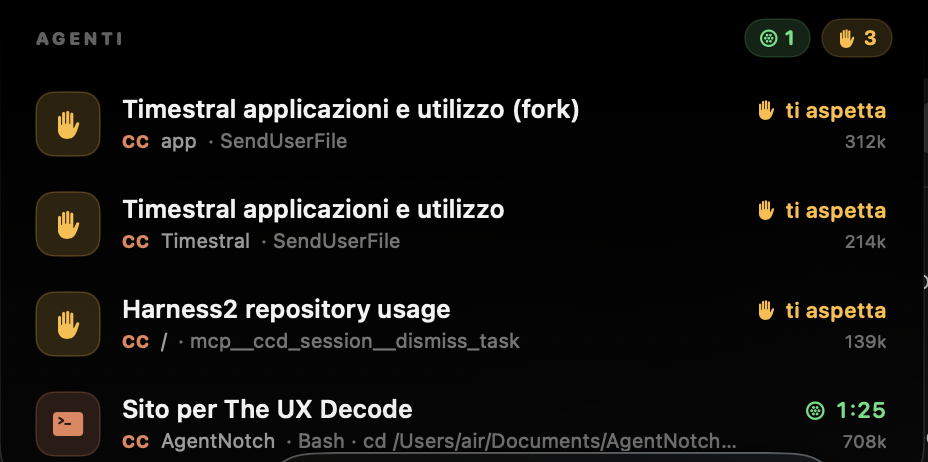
AgentNotch turns the MacBook notch into a quiet indicator for your coding agents — Claude Code, Codex, OpenCode. At rest it shows nothing. When an agent is waiting on you, it turns amber.
macOS 13 or later. On a Mac without a notch, or on an external display, it becomes a floating pill at the top of the screen. MIT license.
A thin line traces the notch and splits into one colored arc for each running agent. Hover to expand it into up to four session cards.
An agent waiting on a permission prompt turns amber and breathes for twenty seconds, then settles. A signal that never stops moving becomes wallpaper.
An optional services section shows whether the services you list are up, degraded or down: HTTP, launchd, TCP or a command, re-read every 30 seconds.
Native SwiftUI and AppKit, no third-party dependencies, no remote service. It reads the files your agents already write. 0.19% average CPU.
./build.sh, as the README explains.How it was designed, the three rewrites and what its own design framework says against it: read the case study